
How voice.school works
One assignment from start to finish: what you do as the teacher, and what your students see.
What you do
Create a class
Give it a name and share the join code or link. Students create an account and join in a minute.
Write a question pool
Add as many questions as you like and decide how many each student answers. Each student gets a random selection, and you can shuffle the order too.
Set the timer and the deadline
Choose the time per question, or a custom time for a harder one. Add a due date and, if you want, lock the assignment when it passes.
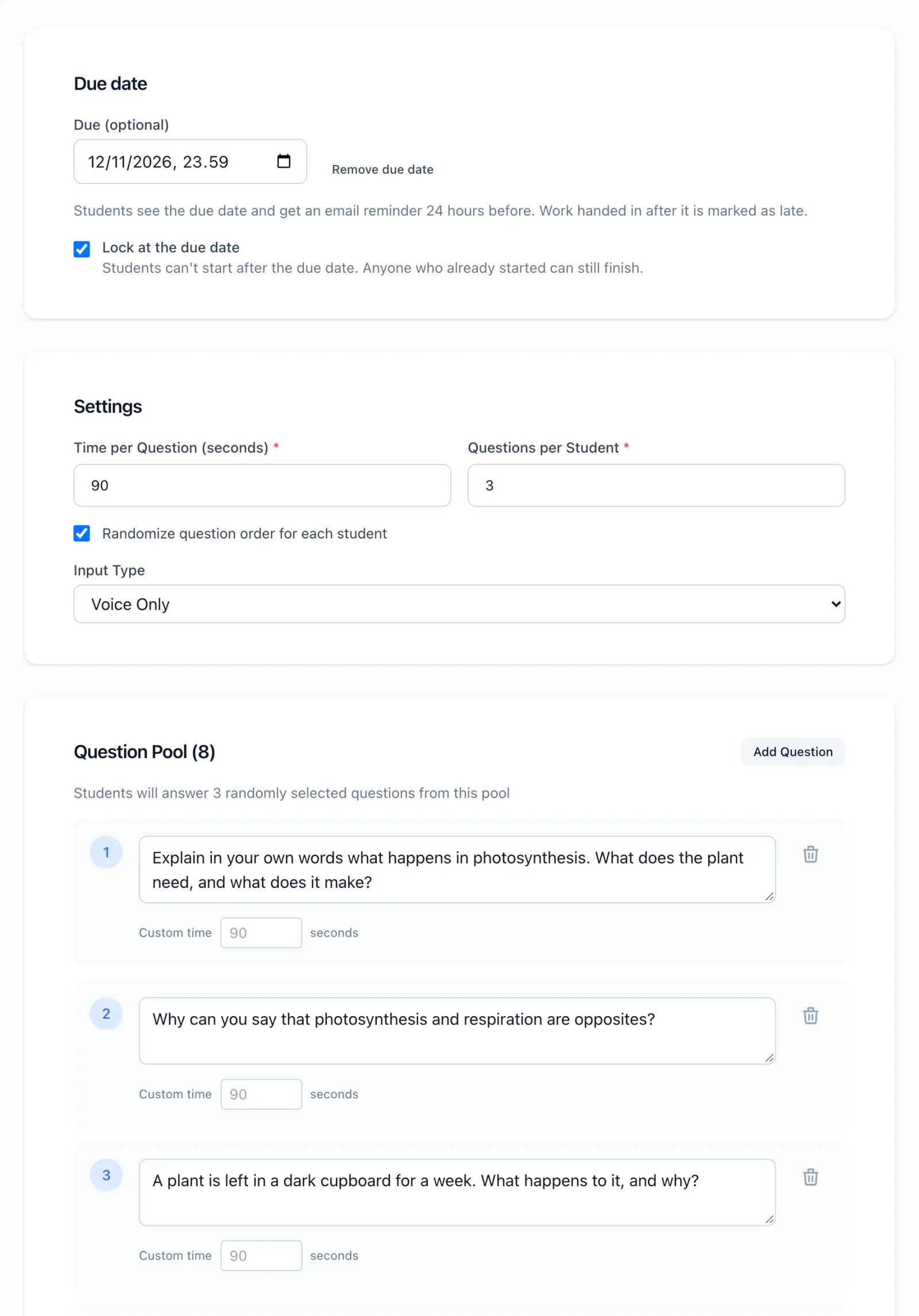
Publish
Your students get an email when the assignment is ready, and a reminder 24 hours before the deadline.
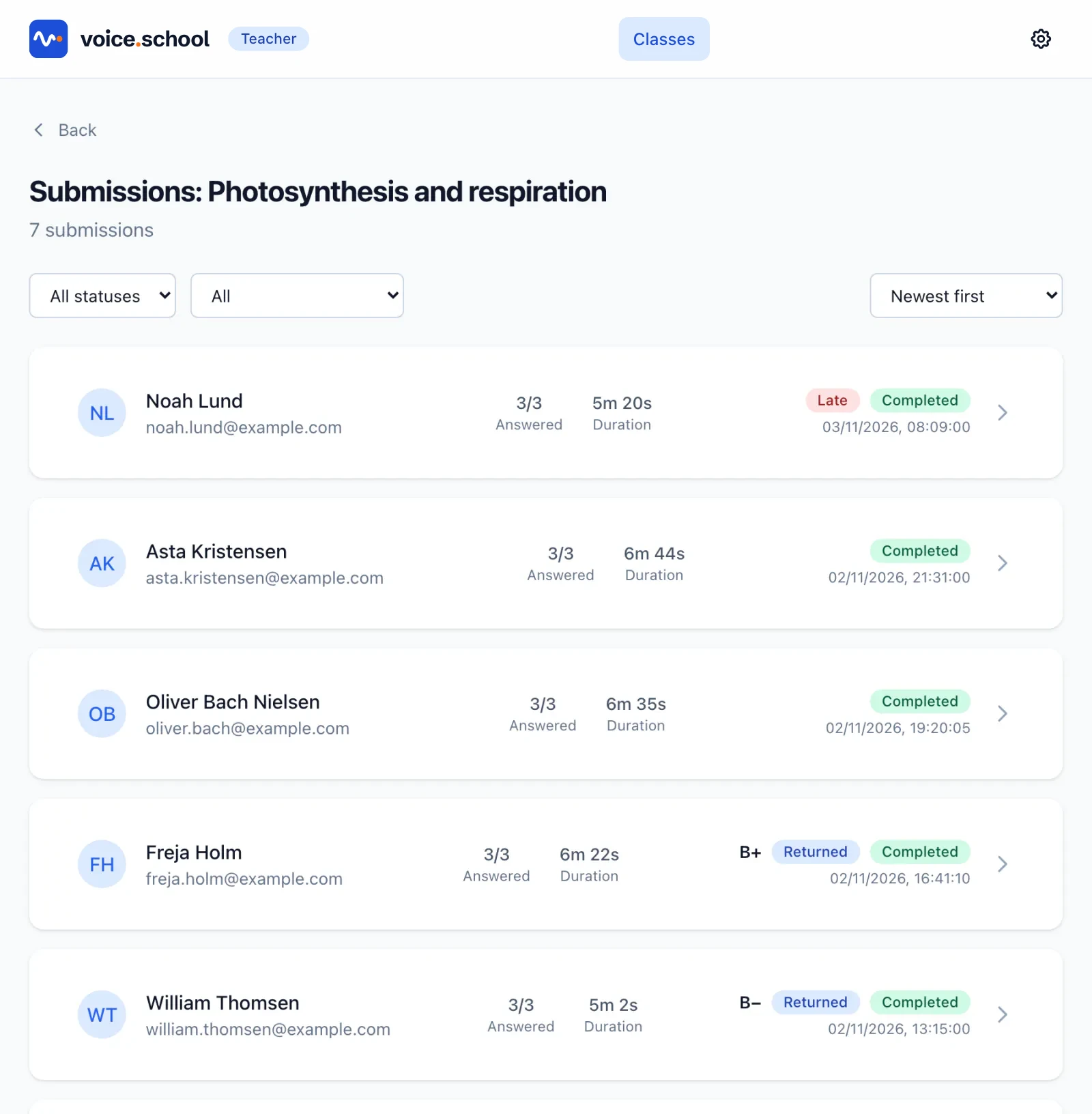
Follow the submissions
See who has finished, who handed in late and what you have already graded.
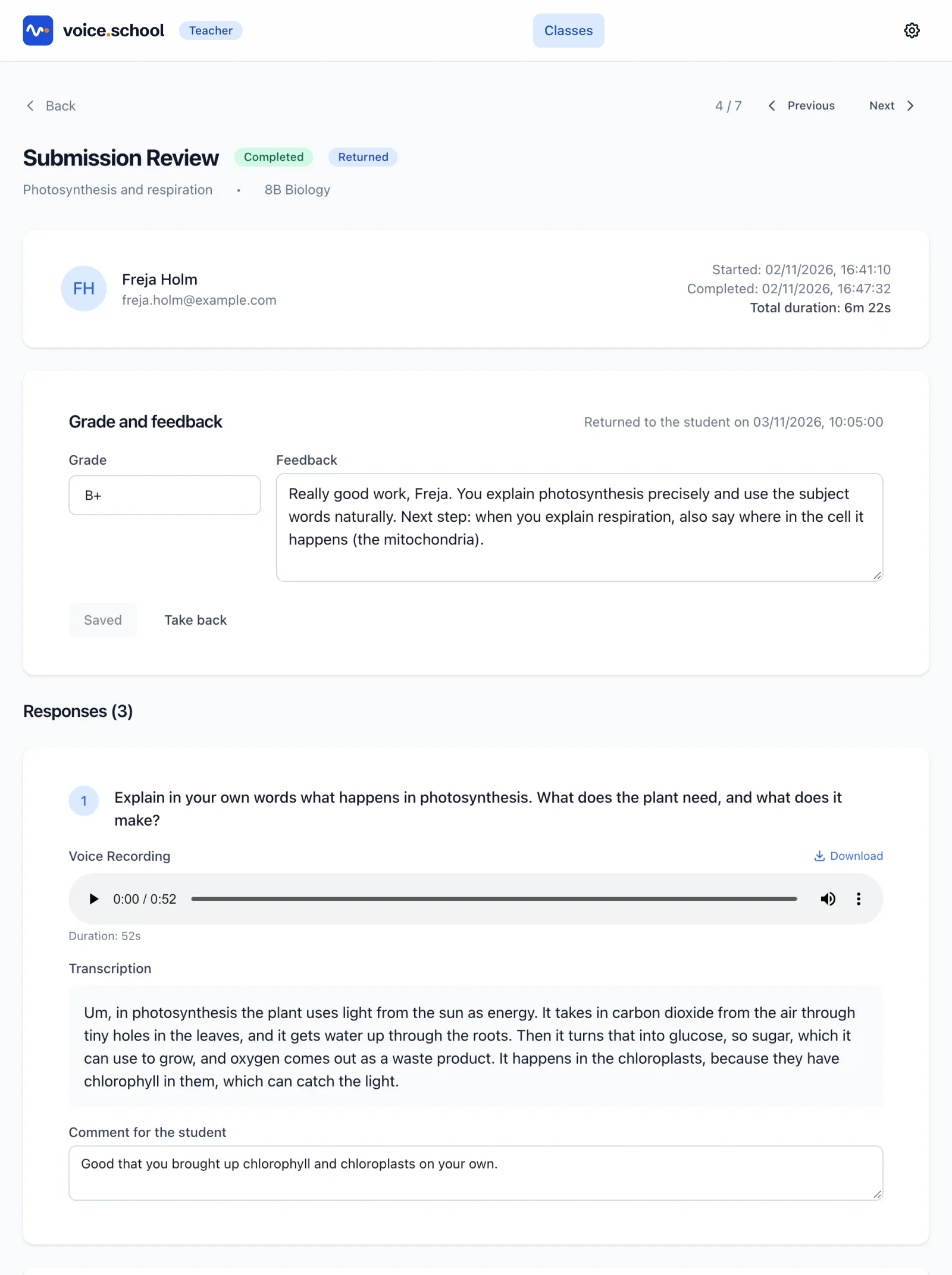
Review and return
Read the transcript, listen when you need to and check the integrity signals. Then give a grade, comment on each answer and return the work.
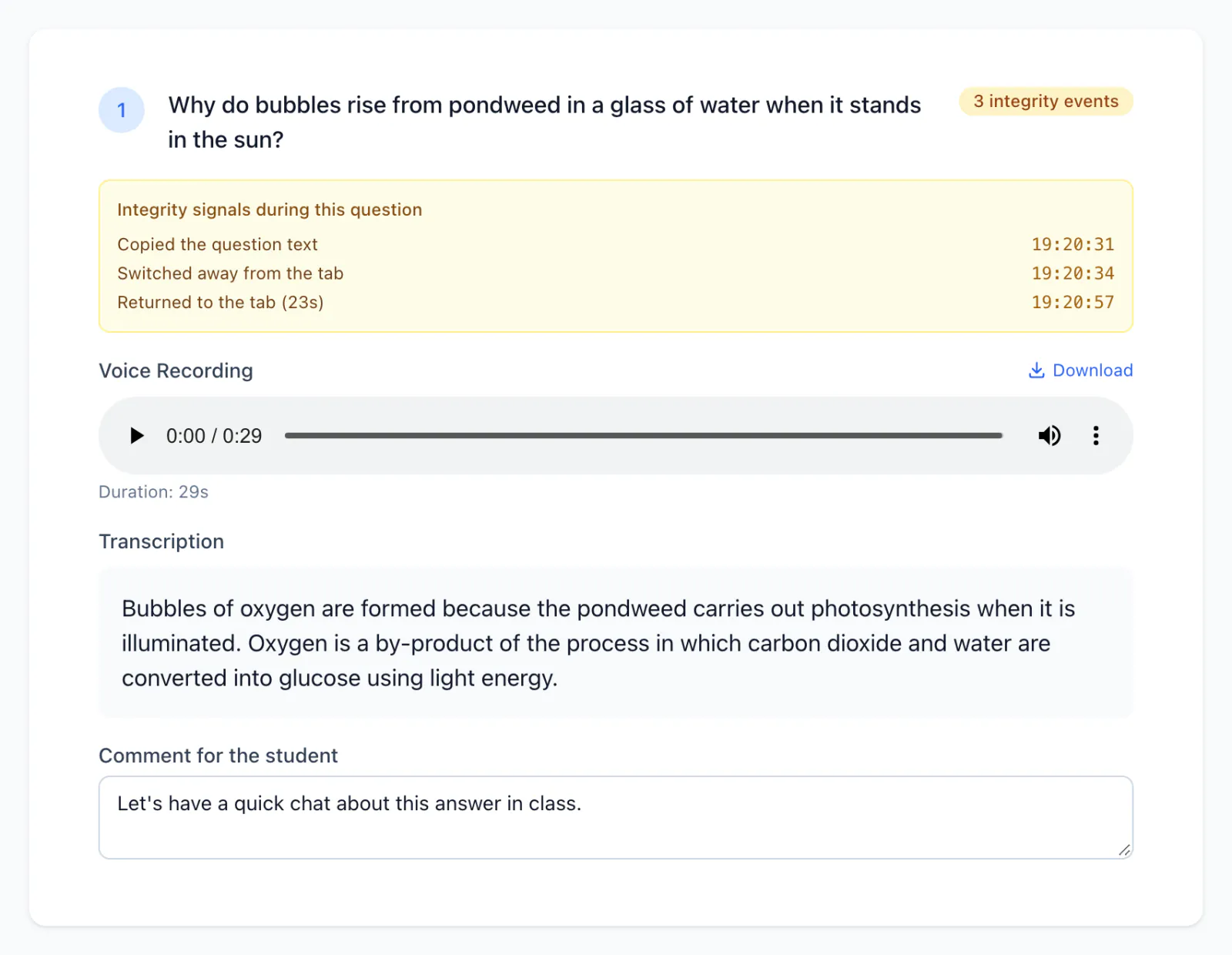
What the integrity signals record
Only what happens on the assignment page, while the student is answering:
- Switching tab or window, and for how long
- Copying the question or trying to paste
- Right-clicking
- Muting or disconnecting the microphone
What they don't record
Nothing outside the page. There is no software to install, and no screen recording. Students are not blocked or marked as cheating; you see the signals and decide what they mean.
What your students do
Join the class
With the code or link you share. There's nothing to install.
Check the microphone
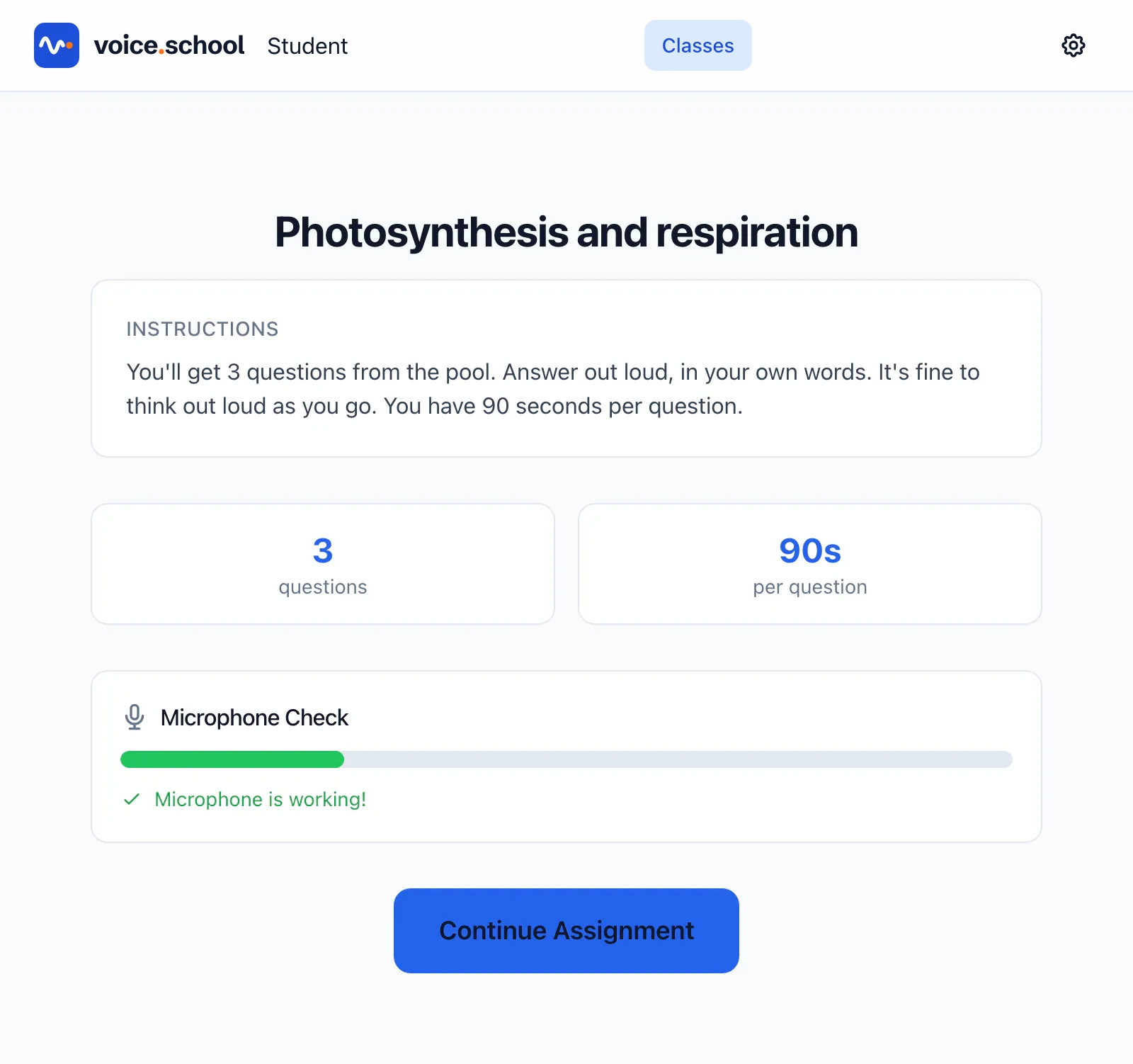
Before they start, students read your instructions and test that the microphone picks them up.
Answer one question at a time
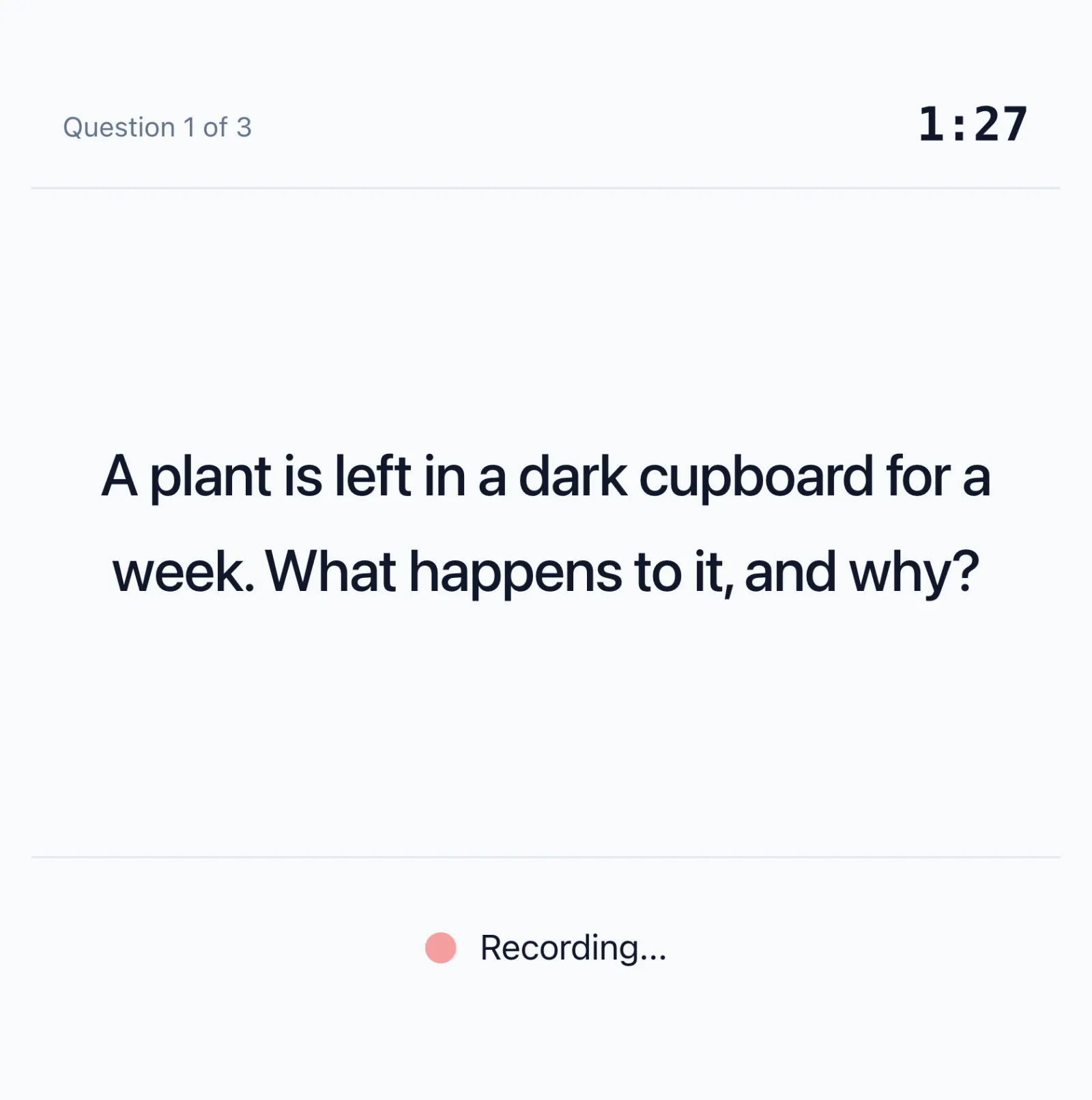
The question appears, the recording starts and the timer counts down. When time is up, the next question appears.
Read the feedback
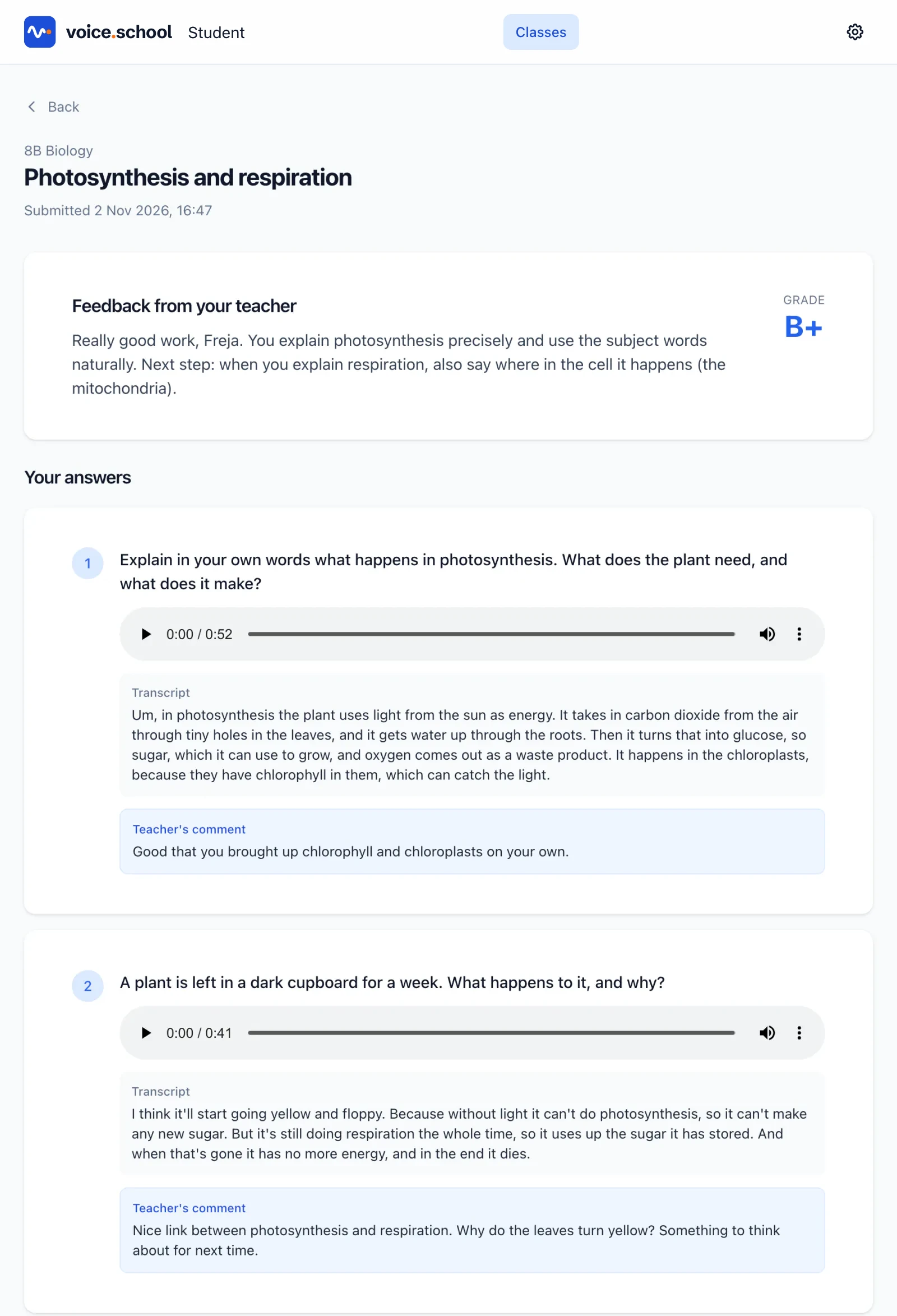
When you return the work, they get an email and see their grade, your feedback and your comments next to their own answers.
Try it with one class this week
Create a class, write five questions and hear what your students say. It's free to get started, no credit card required.